What Are the Top Network KVM Switches for Business?
A business-critical server rarely fails at a convenient time. When a system freezes, staff may need access to its keyboard, video, and mouse controls even when the operating system is unresponsive. A Network Kvm Switch can provide that remote, hardware-level access across multiple machines. It can help teams troubleshoot from another room, site, or shift. Yet remote access alone does not guarantee reliable operations.
The stakes are measurable. Uptime Institute’s 2024 Global Data Center Survey reported that 54% of respondents said their most recent significant outage cost more than $100,000. That figure does not mean a KVM switch prevents outages; it shows why recovery tools deserve careful evaluation. Networking pioneer John Gage’s well-known line, “The network is the computer,” captures the broader shift toward connected infrastructure. For business buyers, the practical question is how securely and reliably that connection works.
This guide compares leading Network KVM Switch options for business use. It considers port capacity, remote access methods, encryption, user controls, video quality, and integration with existing infrastructure. Small details matter: a clear BIOS screen, stable control during a reboot, and access logs that help explain who connected. Not every organization needs the same features. A compact office may value simple setup, while a data center may prioritize redundancy and centralized administration. Rankings also have limits; product specifications cannot replace testing in your own network. Think of this comparison as a shortlist, not a promise.
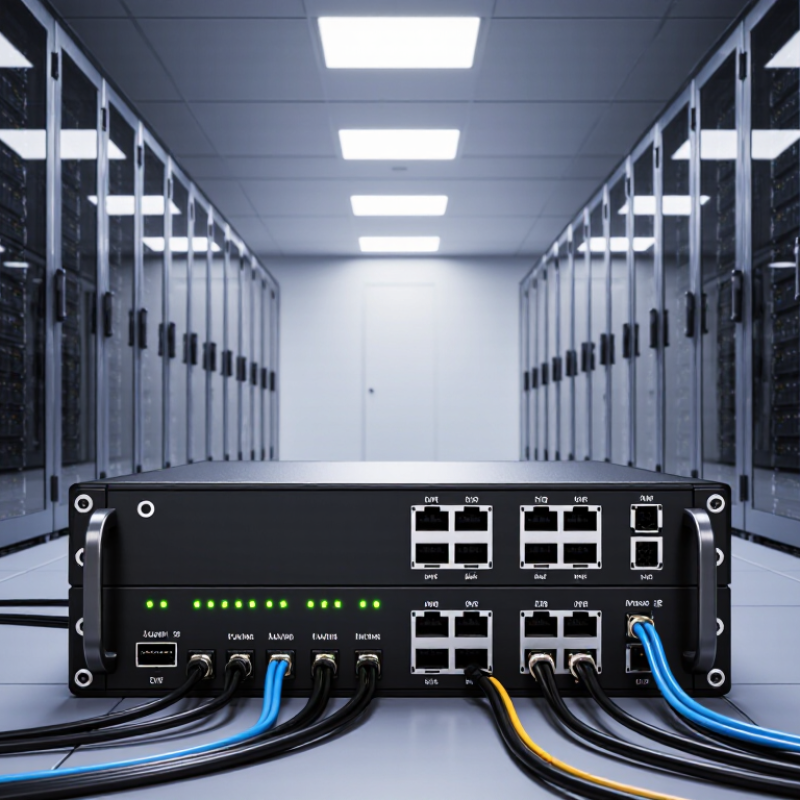
How Network KVM Switches Work in Business Environments
In a business environment, a network KVM switch carries keyboard, video, and mouse signals over an IP network. An administrator can open a remote console, view a server’s screen, and send keystrokes as if seated at its rack. This access can work before an operating system starts, which helps during boot failures or frozen systems. A practical setup places the switch on a restricted management network, with named accounts, multi-factor authentication, and session logs.
The need for reliable recovery is real. Uptime Institute’s 2024 Annual Outage Analysis reported that 54% of surveyed organizations’ most recent significant outages cost more than $100,000. Network KVM access cannot prevent outages, but it can shorten some hands-on troubleshooting trips. It is not magic, though: network congestion, weak access controls, or a failed management path can block the console when it is needed most. Businesses should test remote access during routine maintenance, not during a crisis.
Tips: Keep the KVM management interface off public-facing networks. Test access from a separate administrator account, and confirm that logs capture who opened each console. Check video quality on older servers, too; a blurry screen wastes time. A second network path may help, but it adds complexity that teams must maintain.
Comparing Enterprise Features, Security, and Total Cost
A network KVM switch lets authorized staff manage servers through a browser or dedicated client, even when an operating system stops responding. For a business, the useful comparison is not just port count. Check concurrent sessions, remote media support, screen resolution, and whether access remains responsive during busy maintenance windows. Small details matter. A delayed console can turn a routine restart into a long night.
Security features deserve close inspection. Look for individual accounts, role-based permissions, multifactor authentication, encrypted connections, and audit logs that record who accessed each server and when. Place the management interface on a restricted network, not alongside ordinary office traffic. Confirm how firmware updates are delivered and how long security fixes are supported. A checklist helps, but it cannot replace testing the device with your actual identity system and recovery process.
Total cost includes more than the switch itself. Budget for server adapters, licenses, support, spare units, and staff time for installation. A lower purchase price may cost more if it requires extra adapters or limits simultaneous access. Estimate the expense over several years, then compare it with reduced travel to server rooms and faster recovery from failures. Estimates are imperfect; teams often underestimate setup time, especially when older servers use different connectors. A short pilot with a few representative machines can reveal those costs before a larger deployment.
How to Choose and Deploy the Right Network KVM Switch
What Are the Top Network KVM Switches for Business?
How to Choose and Deploy the Right Network KVM Switch
Choose a network KVM switch around operational needs, not port count alone. Check supported server interfaces, maximum video resolution, concurrent sessions, and remote-media features. For a business with mixed server racks, verify each connector before purchase. A mismatch can turn a quick setup into a cable hunt. Also review role-based access, encryption, and audit logs. These controls help teams track who accessed a console and when.
Plan deployment around real failure scenarios. Uptime Institute’s 2024 Annual Outage Analysis reports that 54% of respondents said their most recent significant outage cost more than $100,000. This does not prove a KVM switch prevents outages, but it shows why dependable access matters. Test access from a separate management network, confirm recovery after power loss, and measure responsiveness during busy periods. Document a fallback process, too. It is easy to forget until the network is down.
Tips: Label both ends of every cable. Test one rack before scaling. Confirm that remote access works with the firewall rules your team actually uses. Review user permissions regularly; ownership can get fuzzy after staff changes. Keep a spare cable nearby, because small problems are still problems.